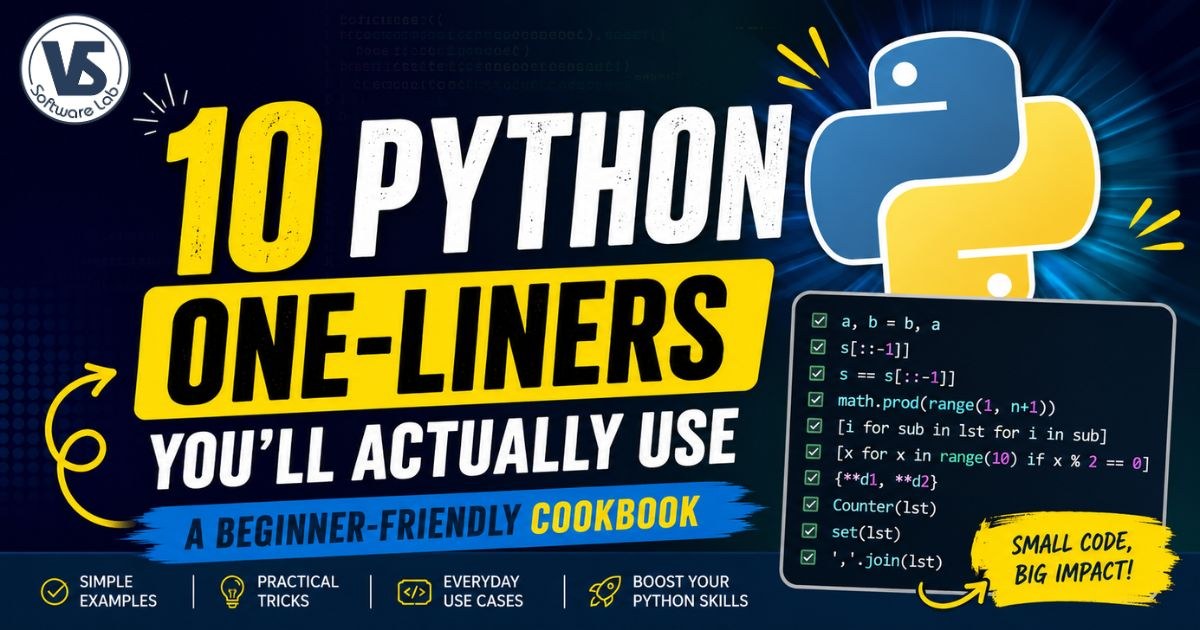
10 Python One-Liners You’ll Actually Use: A Beginner-Friendly Cookbook
Learn 10 practical Python one-liners for common programming tasks, from reversing strings and checking palindromes to flattening lists, merging dictionaries, counting items, and more.
10 Python One-Liners You'll Actually Use
Python is famous for letting you write clean, readable code with very little effort. One of the best examples of this is the Python one-liner—a complete solution to a common programming task written in just a single line.
While writing everything in one line isn't always the best idea, there are many situations where a well-written one-liner makes your code shorter, easier to understand, and quicker to write. They're especially useful for small utilities, interview questions, automation scripts, data processing, and everyday coding.
In this beginner-friendly cookbook, you'll learn 10 practical Python one-liners that developers regularly use. Every example includes the complete code, an explanation of how it works, the syntax, sample output, and when you should use it in real projects.
If you're learning Python or simply want to write cleaner code, these examples are worth adding to your toolbox.
What You'll Learn
- Swap two variables without a temporary variable
- Reverse strings in a single line
- Check whether a string is a palindrome
- Calculate factorials using modern Python
- Flatten nested lists
- Filter even numbers efficiently
- Merge dictionaries
- Count repeated items in a list
- Remove duplicate values
- Convert a list into a string
Let's start with one of the simplest and most commonly used Python one-liners.
1. Swap Two Variables
Swapping two variables is one of the first things every Python developer learns. Unlike many programming languages, Python doesn't require a temporary variable. Multiple assignment makes the code shorter, cleaner, and less error-prone.
One-Liner
#language:python
a, b = b, a
Complete Example
#language:python
a = 10
b = 25

print("Before Swap:")
print("a =", a)
print("b =", b)

a, b = b, a

print("After Swap:")
print("a =", a)
print("b =", b)
Output
Before Swap:
a = 10
b = 25

After Swap:
a = 25
b = 10
Syntax
#language:python
variable1, variable2 = variable2, variable1
How It Works
Python first creates a tuple containing the values on the right side. It then unpacks those values into the variables on the left side. Because both operations happen together, no temporary variable is needed.
When to Use
- Swapping two numbers during sorting algorithms.
- Reordering values while processing data.
- Writing cleaner code in interviews and coding challenges.
- Reducing unnecessary temporary variables.
Why This One-Liner Is Useful
This is one of Python's most recognizable features. It makes your code shorter, easier to read, and avoids the extra variable required in many other programming languages.
2. Reverse a String
Reversing a string is a common task in Python. Whether you're checking palindromes, manipulating text, or solving coding problems, Python's slicing feature makes it possible in just one line.
One-Liner
#language:python
reversed_string = s[::-1]
Complete Example
#language:python
s = "Python"

reversed_string = s[::-1]

print("Original:", s)
print("Reversed:", reversed_string)
Output
Original: Python
Reversed: nohtyP
Syntax
#language:python
string[start:stop:step]
To reverse a string, use a step value of -1.
#language:python
string[::-1]
How It Works
Python slicing accepts three values: start, stop, and step. When the step is -1, Python reads the string from the last character to the first, producing a reversed copy.
When to Use
- Reversing names or sentences.
- Checking whether a word is a palindrome.
- Text manipulation in scripts.
- Programming interviews and coding exercises.
Why This One-Liner Is Useful
Many programming languages require loops or helper functions to reverse a string. In Python, slicing is built in, making this one-liner both readable and highly efficient for everyday use.
3. Check if a String Is a Palindrome
A palindrome is a word or phrase that reads the same forwards and backwards. Examples include level, madam, and racecar. Python lets you check this in a single line by comparing the original string with its reversed version.
One-Liner
#language:python
is_palindrome = s == s[::-1]
Complete Example
#language:python
s = "level"

is_palindrome = s == s[::-1]

print("Word:", s)
print("Is Palindrome:", is_palindrome)
Output
Word: level
Is Palindrome: True
Syntax
#language:python
string == string[::-1]
How It Works
The expression s[::-1] creates a reversed copy of the string. Python then compares the original string with the reversed one. If both are identical, the result is True; otherwise, it returns False.
Case-Insensitive Example
If you want the comparison to ignore uppercase and lowercase letters, convert the string to lowercase before checking.
#language:python
s = "Madam"

print(s.lower() == s.lower()[::-1])
Output
True
When to Use
- Coding interview questions.
- String validation tasks.
- Learning Python string slicing.
- Text-processing utilities.
Why This One-Liner Is Useful
Instead of using loops or multiple conditions, Python performs the palindrome check with a single comparison. It's concise, easy to understand, and commonly used in beginner and intermediate Python programs.
4. Calculate the Factorial of a Number
The factorial of a positive integer is the product of all whole numbers from 1 up to that number. For example, the factorial of 5 is 5 × 4 × 3 × 2 × 1 = 120. Python's math.prod() function makes this calculation surprisingly simple.
One-Liner
#language:python
import math

factorial = math.prod(range(1, n + 1))
Complete Example
#language:python
import math

n = 5

factorial = math.prod(range(1, n + 1))

print("Factorial of", n, "is", factorial)
Output
Factorial of 5 is 120
Syntax
#language:python
import math

math.prod(range(1, n + 1))
How It Works
range(1, n + 1) generates numbers from 1 to n. The math.prod() function multiplies every value in that sequence together and returns the final product.
When to Use
- Mathematical calculations.
- Probability and combinatorics problems.
- Competitive programming.
- Learning Python's built-in math functions.
Why This One-Liner Is Useful
Traditional factorial programs use loops or recursion. This approach is shorter, easier to read, and relies on Python's standard library to perform the multiplication efficiently.
Note
If you're using an older Python version that doesn't support math.prod(), you can use the built-in factorial function instead.
#language:python
import math

print(math.factorial(5))
Both approaches produce the same result, but math.prod() demonstrates a practical one-liner that's useful in many other situations as well.
5. Flatten a Nested List
Working with nested lists is common in Python. Sometimes you need to combine multiple sublists into a single list before processing the data. A nested list comprehension lets you flatten the list in one clean line without writing loops.
One-Liner
#language:python
flat_list = [item for sublist in lst for item in sublist]
Complete Example
#language:python
lst = [
    [1, 2],
    [3, 4],
    [5, 6]
]

flat_list = [item for sublist in lst for item in sublist]

print("Original:", lst)
print("Flattened:", flat_list)
Output
Original: [[1, 2], [3, 4], [5, 6]]
Flattened: [1, 2, 3, 4, 5, 6]
Syntax
#language:python
[item for sublist in nested_list for item in sublist]
How It Works
The first for loop visits each sublist inside the main list. The second for loop extracts every item from that sublist. The result is a new list containing all elements in their original order.
When to Use
- Combining rows of data into a single list.
- Cleaning nested API or JSON responses.
- Preparing data for analysis or machine learning.
- Simplifying nested collections before processing.
Why This One-Liner Is Useful
Instead of writing nested loops and manually appending values, this list comprehension produces the same result in a single, readable expression. It's one of the most practical Python one-liners you'll use when working with collections.
Note
This technique works for lists nested one level deep. If your data contains deeper levels of nesting, you'll need recursion or a dedicated flattening function.
6. Find Even Numbers
Filtering data is one of the most common tasks in Python. A list comprehension allows you to select only the values that match a condition, making the code shorter and easier to read than a traditional loop.
One-Liner
#language:python
even_numbers = [x for x in range(10) if x % 2 == 0]
Complete Example
#language:python
numbers = range(1, 21)

even_numbers = [x for x in numbers if x % 2 == 0]

print("Even Numbers:", even_numbers)
Output
Even Numbers: [2, 4, 6, 8, 10, 12, 14, 16, 18, 20]
Syntax
#language:python
[item for item in iterable if condition]
How It Works
The list comprehension checks every value in the iterable. If the condition x % 2 == 0 is true, the value is added to the new list. Values that don't satisfy the condition are skipped automatically.
When to Use
- Filtering numbers based on conditions.
- Cleaning datasets.
- Selecting matching records from collections.
- Replacing simple filtering loops with cleaner code.
Why This One-Liner Is Useful
List comprehensions are faster to write and often easier to understand than creating an empty list and filling it with a loop. Once you become comfortable with them, you'll use this pattern throughout your Python projects.
Try It Yourself
You can easily modify the condition to filter different kinds of values.
#language:python
# Odd numbers
[x for x in range(10) if x % 2 != 0]

# Numbers greater than 50
[x for x in range(100) if x > 50]

# Multiples of 5
[x for x in range(51) if x % 5 == 0]
7. Merge Two Dictionaries
Merging dictionaries is a common task when working with configuration data, API responses, or combining related information. Since Python 3.5, you can merge dictionaries neatly using the unpacking operator.
One-Liner
#language:python
merged_dict = {**d1, **d2}
Complete Example
#language:python
d1 = {
    "name": "Alice",
    "age": 25
}

d2 = {
    "city": "Mumbai",
    "country": "India"
}

merged_dict = {**d1, **d2}

print(merged_dict)
Output
{'name': 'Alice', 'age': 25, 'city': 'Mumbai', 'country': 'India'}Syntax
#language:python
{**dictionary1, **dictionary2}
How It Works
The ** operator unpacks all key-value pairs from each dictionary into a new dictionary. If both dictionaries contain the same key, the value from the later dictionary replaces the earlier one.
Example with Duplicate Keys
#language:python
d1 = {"language": "Python", "version": 3.10}
d2 = {"version": 3.13, "type": "Programming"}

print({**d1, **d2})
Output
{'language': 'Python', 'version': 3.13, 'type': 'Programming'}When to Use
- Combining configuration dictionaries.
- Merging API or JSON data.
- Updating existing dictionaries.
- Preparing data before saving or processing.
Why This One-Liner Is Useful
Instead of copying keys one by one or calling multiple update operations, dictionary unpacking creates a merged dictionary in a single, readable statement while keeping the original dictionaries unchanged.
Alternative (Python 3.9+)
#language:python
merged_dict = d1 | d2
The dictionary union operator produces the same result and is another clean option if you're using Python 3.9 or later.
8. Count Items in a List
When you need to know how many times each value appears in a list, Python's Counter class from the collections module is the quickest solution. It automatically counts the frequency of every item in a single line.
One-Liner
#language:python
from collections import Counter

item_count = Counter(lst)
Complete Example
#language:python
from collections import Counter

lst = [
    "apple",
    "banana",
    "apple",
    "orange",
    "banana",
    "apple"
]

item_count = Counter(lst)

print(item_count)
Output
Counter({'apple': 3, 'banana': 2, 'orange': 1})Syntax
#language:python
from collections import Counter

Counter(iterable)
How It Works
Counter() scans the iterable and creates a dictionary-like object where each key is a unique item and its value is the number of times that item appears.
Access the Count of a Specific Item
#language:python
from collections import Counter

lst = ["apple", "banana", "apple", "orange"]

counts = Counter(lst)

print(counts["apple"])
Output
2
When to Use
- Counting duplicate values in a list.
- Analyzing text or word frequency.
- Processing survey or voting results.
- Creating simple frequency reports.
Why This One-Liner Is Useful
Without Counter, you would typically write loops and maintain a dictionary manually. This built-in class performs the entire counting process efficiently and keeps your code concise and easy to read.
Bonus Tip
You can quickly find the most common items using most_common().
#language:python
from collections import Counter

lst = ["apple", "banana", "apple", "orange", "banana", "apple"]

counts = Counter(lst)

print(counts.most_common(2))
Output
[('apple', 3), ('banana', 2)]9. Get Unique Elements from a List
Duplicate values often appear in real-world data. Whether you're cleaning datasets, processing user input, or preparing records for analysis, Python makes it easy to remove duplicates by converting the list into a set.
One-Liner
#language:python
unique_items = set(lst)
Complete Example
#language:python
lst = [10, 20, 10, 30, 20, 40, 50, 40]

unique_items = set(lst)

print(unique_items)
Output
{40, 10, 50, 20, 30}Syntax
#language:python
set(iterable)
How It Works
A set stores only unique values. When you pass a list to set(), Python automatically removes duplicate items and returns a collection containing each value only once.
Convert Back to a List
If you need the result as a list instead of a set, simply wrap it with list().
#language:python
lst = [10, 20, 10, 30, 20, 40]

unique_list = list(set(lst))

print(unique_list)
Output
[40, 10, 20, 30]
When to Use
- Removing duplicate values from a list.
- Cleaning imported or user-generated data.
- Preparing datasets before analysis.
- Finding distinct values in collections.
Why This One-Liner Is Useful
Using set() is much simpler than checking every element manually. It's fast, built into Python, and works well for most situations where the order of elements doesn't matter.
Note
Sets do not preserve the original order of elements. If you need to remove duplicates while keeping the original order, use dict.fromkeys().
#language:python
lst = [10, 20, 10, 30, 20, 40]

unique_list = list(dict.fromkeys(lst))

print(unique_list)
Output
[10, 20, 30, 40]
10. Convert a List to a String
Lists often contain characters or words that need to be combined into a single string. Instead of using loops, Python's join() method can concatenate all elements in one clean line.
One-Liner
#language:python
result = ''.join(lst)
Complete Example (Characters)
#language:python
lst = ["P", "y", "t", "h", "o", "n"]

result = ''.join(lst)

print(result)
Output
Python
Complete Example (Words)
#language:python
words = ["Python", "is", "easy", "to", "learn"]

sentence = " ".join(words)

print(sentence)
Output
Python is easy to learn
Syntax
#language:python
'separator'.join(iterable)
The separator can be an empty string, a space, a comma, or any other character.
Common Examples
#language:python
letters = ["A", "B", "C"]

print("".join(letters))
print(" ".join(letters))
print(",".join(letters))
print("-".join(letters))
Output
ABC
A B C
A,B,C
A-B-C
How It Works
The join() method takes every string in the iterable and combines them into a single string, placing the specified separator between each element.
When to Use
- Creating readable sentences from word lists.
- Building CSV-style strings.
- Combining characters into a single word.
- Formatting output for reports or files.
Why This One-Liner Is Useful
The join() method is the recommended way to concatenate multiple strings in Python. It's faster and more memory-efficient than repeatedly using the + operator inside a loop.
Final Thoughts
Python one-liners aren't just clever shortcuts—they're practical tools that can make your code cleaner and easier to maintain. The examples in this guide cover everyday tasks you'll encounter while learning Python or building real projects, from working with strings and lists to handling dictionaries and counting data.
As you gain experience, you'll naturally recognize situations where a concise one-liner improves readability without sacrificing clarity. The goal isn't to write the shortest code possible, but to write code that's simple, expressive, and easy for others to understand.
Try each example in your own Python environment, experiment with different inputs, and you'll quickly become comfortable using these patterns in your daily programming.
Frequently Asked Questions
Are Python one-liners good for beginners?
Yes. They help beginners learn Python syntax and built-in features while reducing unnecessary code. Focus on understanding how each one works instead of memorizing them.
Do one-liners run faster than regular code?
Not always. Their biggest advantage is readability and conciseness. Performance depends on the specific operation rather than the number of lines.
Can I use these one-liners in production code?
Absolutely. Many of them, such as dictionary unpacking, list comprehensions, join(), and Counter(), are widely used in professional Python applications.
Which Python version supports these examples?
Most examples work in Python 3. The dictionary union operator (d1 | d2) requires Python 3.9 or later, while math.prod() is available from Python 3.8 onward.
Should every task be written as a one-liner?
No. If a one-liner makes the code difficult to understand, it's better to write multiple clear, readable statements. Readability should always come first.
Conclusion
Python one-liners are more than just neat tricks—they're practical techniques that help you write cleaner, more expressive code for everyday programming tasks. Whether you're swapping variables, reversing strings, flattening lists, or counting duplicate items, these patterns save time without making your code harder to read.
As you continue learning Python, you'll notice that many standard library features are designed to help you solve common problems with minimal code. Understanding why these one-liners work is far more valuable than simply memorizing them, so don't hesitate to experiment with the examples and modify them to fit your own projects.
Keep this cookbook bookmarked and revisit it whenever you need a quick reminder. With regular practice, these one-liners will become second nature and help you write more Pythonic code every day.
Quick Reference Table
Task | Python One-Liner |
|---|---|
Swap Two Variables | a, b = b, a |
Reverse a String | s[::-1] |
Check Palindrome | s == s[::-1] |
Calculate Factorial | math.prod(range(1, n + 1)) |
Flatten a List | [item for sublist in lst for item in sublist] |
Find Even Numbers | [x for x in range(10) if x % 2 == 0] |
Merge Dictionaries | {**d1, **d2} |
Count Items | Counter(lst) |
Get Unique Elements | set(lst) |
Convert List to String | "".join(lst) |
Key Takeaways
- Python one-liners simplify common programming tasks without sacrificing readability.
- List comprehensions are one of the most powerful features for filtering and transforming data.
- Built-in functions like
set(),Counter(), andjoin()eliminate the need for lengthy loops. - Dictionary unpacking provides a clean way to merge dictionaries.
- Use one-liners when they improve clarity—not just to reduce the number of lines.
If you found this guide helpful, try implementing these one-liners in your next Python project. Small improvements in coding style can make a big difference as your programs grow.
Need Help with Python or Django Development?
Learning Python is easier when you build real projects. If you're looking for Python development, Django web applications, internship opportunities, corporate training, or a custom software solution, our team is here to help.
Whether you're a student starting your programming journey or a business planning a Python-based application, we'll help you choose the right approach and turn your ideas into working software.
Contact Us to discuss your project, training requirements, or Python development needs.